


WeatherLive Pro - Radar Alerts
4.212.00 Reviews
App Specs
- Version
- 1.0.1.0
- Updated On
- License
- Free
- Downloads
- 100,000+
- Developer
- Trung Kien CN Company Limited
- Categories
- Weather
- Platform
- Android
Screenshots
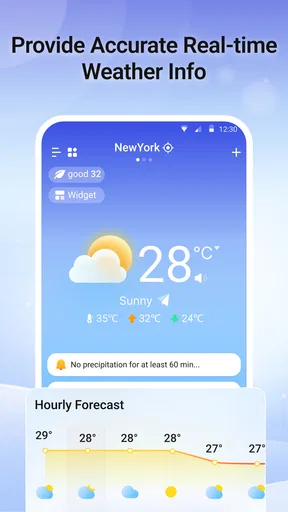
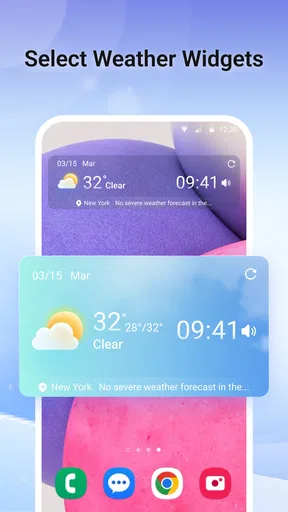
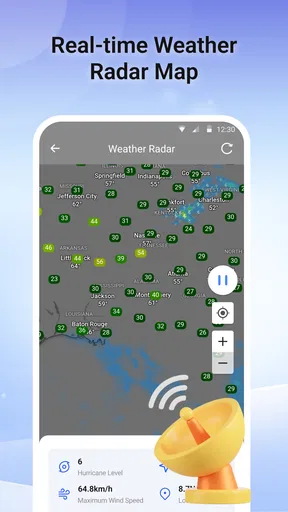
 Analysis by AppCompare
Weather decisions often look small until rain catches you between the bus stop and the office, or a sudden change disrupts a day outdoors. I like weather apps best when they help me make those choices quickly without asking me to treat every forecast as certain. WeatherLive Pro - Radar Alerts is a free weather app from Trung Kien CN Company Limited, and its name suggests a focus on radar and alerts. I’d approach it as a practical day-to-day tool, while keeping a second source in mind when timing or safety really matters.
A useful place in a crowded weather category
Weather apps tend to fall into familiar camps: simple forecast screens that answer “Do I need a coat?”, and more technical services built around maps, layers, and changing conditions. WeatherLive Pro sits closer to the latter in its presentation, with radar and interactive maps among the features described in the published review. That can be useful if I want to see how a rain band is moving rather than rely only on a single forecast icon.
The trade-off is that a map asks more of me than a plain daily forecast. It is only helpful if I can read it quickly, understand what the displayed conditions mean for my location, and avoid mistaking a visual estimate for a guarantee. For a quick clothing check, a basic forecast app may be faster; for deciding whether to shift a walk by half an hour, radar can offer a more relevant view.
Where I would use it—and where I would be careful
For an ordinary commute, I’d check the current conditions before leaving and use a radar view to judge whether rain appears to be approaching. I’d still take a light waterproof layer if getting wet would cause a real problem. A forecast is a planning aid, not a promise that the weather will follow a neat schedule.
For a hike or picnic, I’d use the app as one part of a simple plan: check the forecast before setting off, look again closer to departure, and keep an alternative activity in mind. A map can help me notice a developing change, but it cannot remove the need to reconsider if the sky, local conditions, or an official warning tells a different story. That distinction matters most when I’ll be far from shelter.
Radar is most useful for a near-term decision, not as a substitute for judgment. I would not use a consumer weather app alone to make a high-stakes call about travel, outdoor work, or severe conditions. In those situations, I’d compare its view with an official local weather service and follow relevant safety guidance.
Trust, notifications, and everyday control
Weather apps can feel personal because they may be used for a chosen location and can send notifications. Before enabling alerts, I’d check the prompts shown by the app and the permission choices offered by my phone. I would allow only what seems necessary for the way I plan to use it, and I’d revisit those choices if I stop needing alerts. I can’t responsibly assume particular permissions or data practices without seeing the app’s own disclosures, so I’d read those on the device rather than infer them from its feature names.
Worth Reading Before You Choose

EA SPORTS FC Mobile 26 Is a Bigger Football Game, but It Takes Time

Flipboard Shows What News Apps Must Do Beyond the Feed

Switching to Android Auto Means Rethinking Your Driving Routine

Google Calendar Makes a Crowded Week Easier to Manage

Ludo King Makes the Most of the Minutes Between Plans

Baby Panda World Brings Quick Play to Modern Phones, but Its Game Library Feels Busy
Notifications are useful when they arrive at the right moment, but too many can become background noise. I’d keep them on only if they help me act—such as deciding whether to leave earlier or bring rain gear—and use the phone’s notification settings to quiet them if they interrupt more than they help. If location access is requested, a useful question is whether choosing a location manually is available and sufficient for my routine. The answer should come from the options actually displayed during setup, not assumption.
That small setup check is worth doing before relying on an alert. A notification can be missed, delayed, or irrelevant to where I am, so I would not build a safety plan around receiving one. For everyday convenience, alerts can be a helpful nudge; for urgent weather decisions, I’d check current official guidance directly.
Getting Started with WeatherLive Pro
First things first, downloading the app is a breeze. Available on both Android and iOS, it’s a quick download, and you'll be up and running in no time. Once you fire it up, the interface is super intuitive. Even if you’re not a techie, you'll find it easy to navigate. The home screen greets you with the current weather conditions, complete with temperature, wind speed, and humidity.
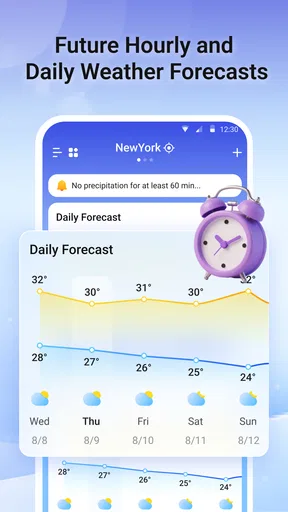
One thing I love right off the bat is the clean design. It’s not cluttered with ads or unnecessary info. Everything you need is right in front of you, and it looks sleek and modern. You can customize the app to show exactly what you want. Whether it's the hourly forecast or a detailed weekly outlook, it's all there.
Features That Stand Out
Here's where WeatherLive Pro truly shines. The radar feature is a game-changer. It offers real-time updates, and you can track weather patterns as they happen. It’s like having your own weather radar station.
And then there are the alerts. I was skeptical at first, but they’re accurate and timely. Whether it's a storm, rain, or just a sudden drop in temperature, the app gives you a heads-up. You can set it up to alert you via notifications, so you’re always in the loop.
One more thing worth mentioning is the detailed weather maps. They’re interactive, allowing you to zoom in and out. You can even switch between different layers to see temperature changes and precipitation. It's like being a mini meteorologist!
Usability and Performance
Let’s talk about the app's performance. It runs smoothly, without any lag or crashes, which is crucial for a weather app. After all, what's the point of knowing there’s a storm coming if the app decides to freeze?
Battery usage is also minimal. I’ve had it running in the background, receiving alerts without noticing any significant battery drain. This is a huge plus for those of us who are always on the go.
Personal Experience
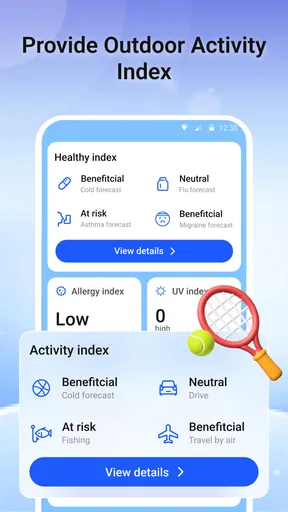
So, how has my routine changed with it? Well, for starters, it's saved me from getting drenched a couple of times. I’ve also used it to plan my weekend hikes, making sure I’m not caught off guard by unexpected weather changes.
It’s also been quite handy for those last-minute outfit decisions. Knowing exactly what the weather will be like helps me dress appropriately, avoiding those awkward moments of being over or underdressed.
Choosing it for your own routine
I’d recommend trying this app if you like to check conditions more than once a day, want to explore a map instead of relying entirely on forecast summaries, or find timely notifications useful. It may suit commuters, people who plan outdoor errands, and casual walkers who want another way to judge whether rain is moving closer.
I’d be more cautious if you only need a simple temperature and daily forecast, prefer not to receive notifications, or need a source intended for formal emergency guidance. A built-in phone weather view may be quicker for a glance, while a national or local meteorological service is a better companion for warnings and consequential decisions. The practical choice depends less on how many map options an app has and more on whether its information is clear and useful for your habits.
If you’re comparing options, try the same routine with each: check the morning outlook, look at the map before a planned outing, and see whether an alert changes what you do. That gives you a more meaningful comparison than judging an app by a long feature list. If WeatherLive Pro makes those decisions easier without adding distracting checks, it has earned a place on your phone; if you keep opening another service to verify it, that second service may be the better everyday choice.
Availability and a cautious verdict
The app is free, is rated for Everyone, and has reached over 10,000 installs. It was released on March 20, 2026, and version 1.0.0.4 is listed as its current version. It requires Android 8.0 or later. Its average rating is currently 0.0, so there is not yet a meaningful user-rating track record to lean on. I would treat that as a reason to make my own assessment, not as proof that the app is either good or bad.
For anyone new to it, I’d begin with the basic forecast and map, then decide whether notifications add anything to the day. Check the app’s visible privacy information and the phone’s permission controls before sharing location access or enabling alerts. If the options do not match your comfort level, you can decline a permission or change it in the device settings; the exact choices depend on what the app and operating system present.
In a world where weather can be unpredictable, having WeatherLive Pro is like having a reliable friend who's always in the know. It’s accurate, easy to use, and packed with features that make it stand out from the crowd. For anyone who wants to stay one step ahead of the weather, this app is a must-have.
So, if you’re tired of inaccurate forecasts and want something you can truly rely on, give it a shot. Whether you’re planning a trip, heading to work, or just curious about the weather, this app has got you covered.
Pros
- Detailed weather forecasts available.
- User-friendly and intuitive interface.
- Customizable weather alerts.
- Accurate radar and satellite imagery.
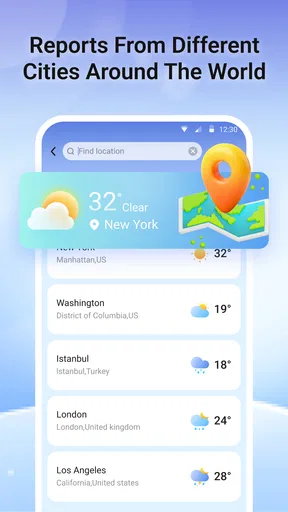
- Supports multiple locations tracking.
Cons
- Requires subscription for full features.
- Occasional ads in the free version.
- High battery consumption reported.
- Limited offline functionality.
- Some reports of slow updates.
FAQs for WeatherLive Pro - Radar Alerts
What features does WeatherLive Pro - Radar Alerts offer?
WeatherLive Pro - Radar Alerts provides comprehensive weather updates, including real-time radar images, severe weather alerts, and detailed forecasts. It also includes features like hour-by-hour weather predictions, a 7-day forecast, and customizable notifications. The app is designed to keep users informed about changing weather conditions in their area.
Is WeatherLive Pro - Radar Alerts available for both Android and iOS?
Yes, WeatherLive Pro - Radar Alerts is available for both Android and iOS devices. Users can download the app from the Google Play Store for Android devices and the Apple App Store for iOS devices. This ensures wide accessibility for users on different platforms.
Does WeatherLive Pro - Radar Alerts require an internet connection?
While the app can provide basic weather updates offline, an internet connection is necessary for accessing real-time radar images and receiving live weather alerts. For the most accurate and up-to-date information, it is recommended to have an active internet connection when using the app.
Are there any in-app purchases or subscription fees?
WeatherLive Pro - Radar Alerts offers both free and premium versions. The free version includes basic features, while the premium version, available via subscription, provides an ad-free experience and access to advanced features like extended forecasts, more detailed radar data, and personalized alerts.
How accurate are the weather forecasts in WeatherLive Pro - Radar Alerts?
WeatherLive Pro - Radar Alerts utilizes data from multiple reliable sources to ensure accurate and timely weather forecasts. While no weather app can guarantee 100% accuracy, this app is known for its high precision in predicting weather patterns and sending timely alerts, making it a trusted choice for users.


